
Connector manufacturer
Connector manufacturer

From Beginner to Professional: A User Guide for Automotive Diagnostic Connectors
The Vehicle’s Digital Lifeline
Modern vehicles are no longer mere mechanical assemblies but complex networks of computerized systems. At the heart of this technological evolution lies a humble yet critical component: the automotive diagnostic connector. This unassuming port serves as the primary interface between a vehicle’s internal electronic systems and the external world of troubleshooting tools, transforming how we maintain, repair, and understand automobiles. Whether you’re a DIY enthusiast tackling a check engine light or a seasoned technician reprogramming complex modules, mastering diagnostic connectors is essential in today’s automotive landscape. This guide will navigate you from basic identification to professional application, demystifying the technology that keeps modern vehicles running optimally.
Chapter 1: The Fundamentals – Understanding OBD and Connector Evolution
What is OBD?
On-Board Diagnostics (OBD) represents the vehicle’s self-diagnostic and reporting capability. Initially developed in the 1980s to monitor emissions systems, OBD has evolved into a comprehensive system overseeing virtually every electronic component. The automotive diagnostic connector provides physical access to this system, allowing technicians to query fault codes, monitor real-time data, and test system functionality.
A Brief History: From OBD-I to OBD-II
OBD-I (Pre-1996): The fragmented beginnings. Before standardization, manufacturers implemented proprietary systems with different connectors, pin configurations, and communication protocols. A mechanic’s toolbox might contain a dozen different adapters for various makes. These systems typically offered limited emissions-related data.
OBD-II (Post-1996): The revolution in standardization. Mandated for all cars and light trucks sold in the United States from 1996 onward, OBD-II created a uniform standard featuring:
- A standardized 16-pin Data Link Connector (DLC)
- Standardized diagnostic trouble codes (DTCs)
- Universal communication protocols
- Expanded monitoring capabilities beyond just emissions
This standardization democratized diagnostics, enabling aftermarket tool development and empowering vehicle owners.
Chapter 2: The Connector Unveiled – Anatomy of the OBD-II Port
Physical Identification and Location
The OBD-II connector is a trapezoidal-shaped, 16-pin female port. By regulation, it must be located within three feet of the steering wheel, typically found:
- Under the dashboard on the driver’s side (most common)
- Near the center console or ashtray
- Behind removable panels or small doors in some vehicles
Pinout Configuration Demystified
While all OBD-II connectors share the same physical shape, pin functions can vary. Here’s a breakdown of the standard layout:
Mandatory Pins (Universal):
- Pin 4:Chassis Ground
- Pin 5:Signal Ground
- Pin 16:Battery Power (+12V)
- Pin 7:ISO 9141-2 K-Line (Protocol)
- Pin 15:ISO 9141-2 L-Line (Protocol, optional)
Protocol-Specific Pins:
- Pins 6 & 14:CAN High and Low (Controller Area Network – modern standard)
- Pins 2 & 10:J1850 Bus+ and Bus- (primarily GM and Chrysler)
- Pin 1:Manufacturer discretion (often used for factory-specific functions)
Communication Protocols: The Languages of Diagnostics
Vehicles communicate through different protocols. Identifying which your vehicle uses determines scanner compatibility:
- CAN (Controller Area Network):The dominant protocol since 2008. High-speed, robust, and capable of multiplexing multiple systems on a single network.
- ISO 9141-2:Used by many European and Asian vehicles from the 1990s to early 2000s.
- J1850 PWM (Pulse Width Modulation):Ford’s primary protocol until CAN adoption.
- J1850 VPW (Variable Pulse Width):Used by General Motors and Chrysler.
- Keyword Protocol 2000 (KWP2000):Common on European vehicles.
Most modern scan tools auto-detect the protocol, but understanding these helps troubleshoot connection issues.
Chapter 3: Beginner’s Toolkit – Essential Equipment and First Steps
Choosing Your First Scan Tool
For beginners, entry-level tools offer significant capability without overwhelming complexity:
Code Readers ($30-$100): Basic devices that read and clear generic (P0xxx) diagnostic trouble codes. Ideal for identifying check engine light causes.
Basic OBD-II Scanners ($100-$300): These add live data streaming, freeze frame data (a snapshot of parameters when a fault occurred), and readiness monitor status. Look for Bluetooth/Wi-Fi models that pair with smartphone apps for enhanced display.
Recommended Beginner Features:
- Clear, intuitive display
- Automatic VIN detection
- Definitions for common trouble codes
- Smartphone connectivity
Your First Diagnostic Session: A Step-by-Step Guide
- Preparation:Ensure the vehicle is in park with the parking brake engaged. Ignition should be off before connecting.
- Connection:Locate the DLC port and firmly insert your scanner. Avoid forcing or angling the connector.
- Power On:Turn the ignition to the “ON” position (engine may be off or on depending on what you’re diagnosing). Most scanners will power up automatically.
- Vehicle Identification:Many tools will automatically retrieve the Vehicle Identification Number (VIN), which is crucial for accessing manufacturer-specific data.
- Code Retrieval:Select “Read Codes” from the menu. Document any codes before clearing them.
- Data Interpretation:Use the scanner’s code definitions or reputable online databases to understand what each code means. Remember: a code indicates a problem in a circuit, not necessarily that a specific component is faulty.
- Live Data:Explore the live data function to see how sensors respond with the engine running. Compare readings to specifications.
- Clearing Codes:After repairs, clear codes and verify they don’t immediately return during a test drive.
Common Beginner Mistakes to Avoid
- Clearing codes before documenting them:Always record codes first.
- Misinterpreting pending codes:These indicate intermittent issues that haven’t yet triggered the check engine light.
- Ignoring readiness monitors:After clearing codes, monitors reset and need specific drive cycles to complete before emissions testing.
- Forgetting the basics:Diagnostic tools supplement, rather than replace, fundamental mechanical knowledge and visual inspection.
Chapter 4: Intermediate Mastery – Beyond Basic Code Reading
Leveraging Live Data and Graphing
Intermediate diagnostics involves analyzing the vehicle’s real-time operational parameters:
Key Data Parameters to Monitor:
- Fuel Trim (Short & Long Term):Indicates how much the computer is compensating for fuel mixture issues. Values consistently above +10% or below -10% suggest problems.
- Oxygen Sensor Activity:Should cycle regularly between approximately 0.1V and 0.9V at idle.
- MAF (Mass Air Flow) Sensor Readings:Check against expected values for given RPM.
- Throttle Position Sensor:Should show smooth progression from 0% at closed throttle to 80-100% at wide open throttle.
Graphing Functions: Visualizing data streams helps identify patterns and correlations between sensor failures. For example, graphing both upstream and downstream oxygen sensors simultaneously can reveal catalytic converter efficiency.
Actuation Tests and Bi-Directional Controls
Many intermediate scanners can actively test components rather than just monitor them:
Common Actuation Tests:
- Cycling fuel pump, fans, or relays
- Operating individual injectors or ignition coils
- Commanding EVAP purge or vent valves
- Testing throttle body adaptation
These tests help isolate whether a component failure is due to the component itself, its wiring, or the control module.
Freeze Frame Analysis: The Diagnostic Snapshot
When a fault occurs, the ECU captures a snapshot of operating parameters. Analyzing this freeze frame data helps recreate the conditions that triggered the fault, which is invaluable for diagnosing intermittent issues.
Chapter 5: Professional-Grade Diagnostics – Manufacturer-Specific Systems
The Limitations of Generic OBD-II
While OBD-II provides standardization, manufacturers implement proprietary networks and systems beyond the mandated requirements. Accessing these requires enhanced tools and knowledge:
Manufacturer-Specific Codes: Codes beginning with P1xxx, U1xxx, or manufacturer-defined codes (like BMW’s “2ABC” format) require specialized scanners.
Enhanced Diagnostics: Systems like body control modules, infotainment, advanced driver assistance systems (ADAS), and hybrid/EV components typically require manufacturer-specific access.
Professional Diagnostic Platforms
Professional technicians utilize sophisticated systems with expanded capabilities:
J2534 Pass-Through Devices: These tools, combined with manufacturer software subscriptions, allow dealership-level diagnostics, module programming, and flash updates. They’re essential for post-repair procedures like steering angle sensor calibration or injector coding.
Oscilloscope Integration: Professionals often combine scan tool data with oscilloscope patterns to analyze electronic signals in detail, crucial for diagnosing communication bus faults or subtle sensor irregularities.
Network Topology Understanding: Modern vehicles use multiple interconnected networks (CAN, LIN, MOST, Ethernet). Professional diagnosis requires understanding how these networks communicate and what happens when communication fails.
Case Study: Diagnosing a CAN Bus Fault
A professional approach to a communication fault might involve:
- Using a scan tool to identify which modules are unavailable
- Measuring CAN bus voltage at the OBD port (should be ~2.5V average)
- Using an oscilloscope to view the actual CAN signal pattern
- Isolating the network by disconnecting modules one by one
- Checking termination resistors (typically 120 ohms across CAN high and low)
This systematic approach highlights how professional diagnostics extends far beyond code reading.
Chapter 6: Advanced Applications and Future Trends
Programming and Coding
Modern diagnostics increasingly involves software manipulation:
Module Programming/Flashing: Updating electronic control unit software to address bugs, improve performance, or after hardware replacement.
Coding/Adaptation: Configuring modules to vehicle specifications after replacement (coding injectors, adapting throttle bodies, calibrating window positions).
Key Programming: Immobilizer system synchronization requiring security access often calculated from the VIN.
Telematics and Remote Diagnostics
The diagnostic connector now interfaces with telematics devices for:
- Fleet management monitoring
- Usage-based insurance tracking
- Remote vehicle health reports
- Over-the-air updates (increasingly handled without physical connection)
The Evolving Landscape: OBD-III and Beyond
The future of vehicle diagnostics is already taking shape:
OBD-III Concept: Proposed systems would automatically transmit diagnostic information wirelessly to regulatory agencies or service centers when faults occur.
Enhanced Cybersecurity: As diagnostic ports become potential attack vectors, new security protocols are being implemented, including encrypted communications and physical port deactivation.
Cloud-Based Diagnostics: Uploading vehicle data to cloud platforms for AI-assisted analysis and predictive maintenance recommendations.
Conclusion
The automotive diagnostic connector represents far more than a mere plug—it is the gateway to understanding the increasingly complex electronic ecosystem of modern vehicles. From the beginner learning to interpret their first P0300 misfire code to the professional technician reprogramming a hybrid battery management system, this standardized interface has transformed automotive repair from an artisanal craft to a technologically sophisticated discipline.
Mastery evolves in stages: starting with code reading fundamentals, progressing to data interpretation and system testing, and culminating in network analysis and software manipulation. Each level builds upon the last, with the diagnostic connector serving as the constant interface point.
As vehicles continue their transformation toward electrification and autonomy, the diagnostic port’s role will undoubtedly evolve. Wireless connectivity may eventually supplement or replace physical connections, but the fundamental principles of accessing, interpreting, and acting upon vehicle data will remain essential skills. Whether you aim to maintain your personal vehicle or build a professional career in automotive technology, understanding diagnostic connectors provides the foundation for navigating this evolving landscape. The journey from beginner to professional begins with that first connection—inserting the scanner and asking the vehicle to tell its story.
For more about from beginner to professional: a user guide for automotive diagnostic connectors, you can pay a visit to Gvtong at https://www.gvtong.net/ for more info.
-
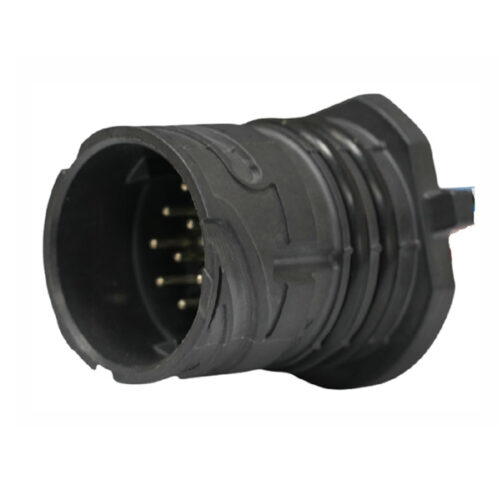
GE Series-16-core cylinder connector
-
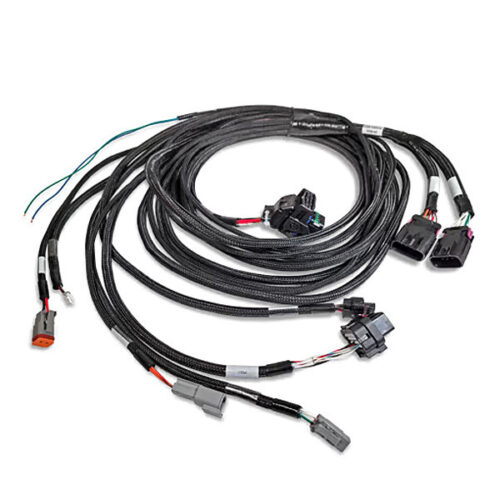
Automotive low pressure wiring harness
-
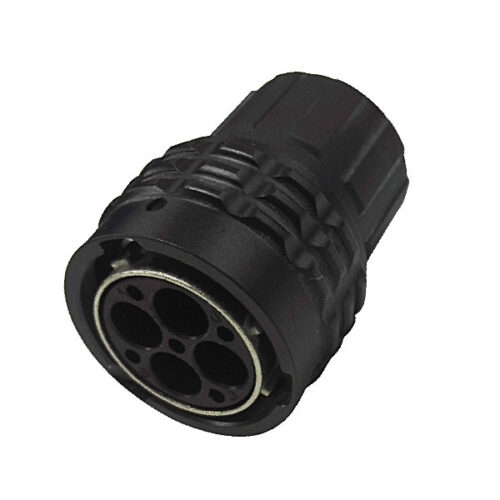
GR Series-4-core 16# circular signal connector
-
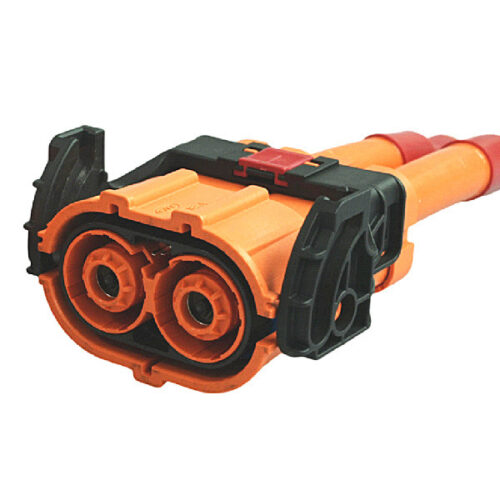
GH1000 Series-2-core plastic high voltage connector
-
EV’s Plastic Injection Parts
-
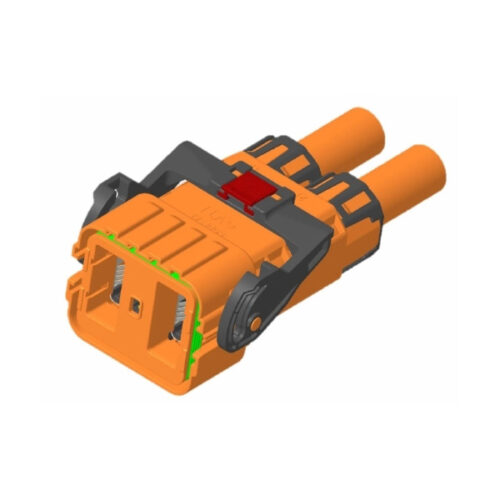
High voltage connector HV6-2PIN
-
Pin header and female header
-
GD Series – Automotive Combined Power Connector – 2+8 Pin Hybrid Power Connector 150A 500V DC IP67 Waterproof